LIVE MARKETS
One clear market canvas
Read price action, moving averages, current quote and nearby market levels without jumping between screens.
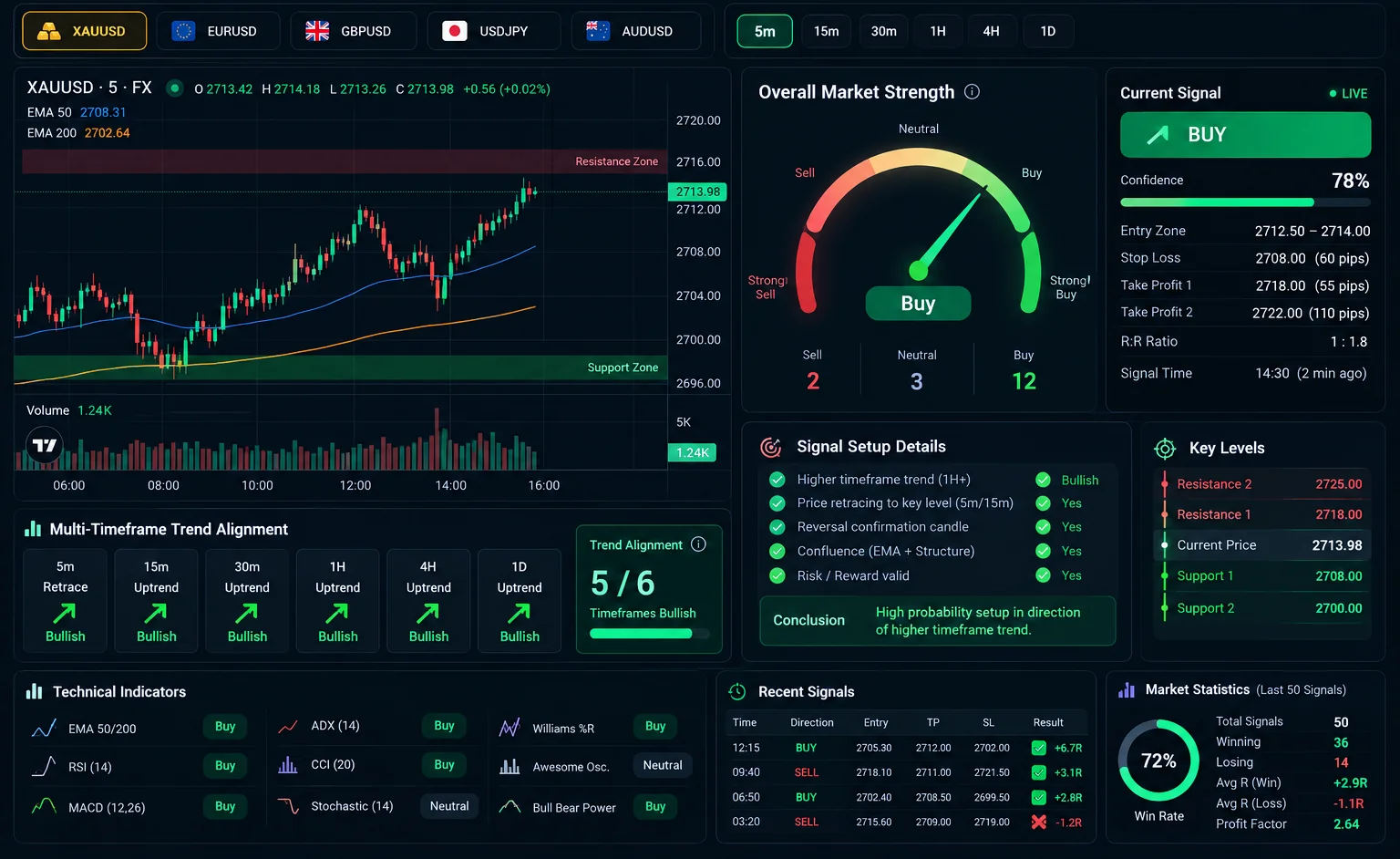
Meet mbioTraders — a professional signal dashboard bringing Gold, major forex pairs, trend momentum, a live-moving strength gauge and confirmed market setups into one focused workspace.
No trading login or broker order permissions are required to explore the signals.
A CLOSER LOOK / PRODUCT TOUR
Explore the core decisions inside mbioTraders. Each panel highlights part of the dashboard design you shared.
 ILLUSTRATIVE UI
Use a clear candlestick chart, moving averages and nearby market levels to understand what price is doing before looking at the signal.
Images are visual previews with sample values. This portfolio never streams prices, produces signals, or places orders. The live app is hosted separately.
DESIGNED FOR BETTER DECISIONS
Charts, strength, trend alignment and signal conditions work together to answer one question: is this setup ready, or should you wait?
Read price action, moving averages, current quote and nearby market levels without jumping between screens.
The animated gauge summarizes technical indicator votes. It is a strength measure—not a guaranteed win rate.
Compare six chart timeframes and inspect higher-timeframe momentum over 3, 5 or 7 completed trading days.
Optional sound notifications identify newly confirmed setups in the direction of the larger trend while the page is open.
BUY, SELL or WAIT is accompanied by entry conditions, a confluence score and indicative risk and target levels.
Market data can reconnect after interruptions; old, incomplete or missing information should not be mistaken for a fresh setup.
GOLD + MAJOR FX
Change instruments or chart timeframes without leaving the dashboard. Each view uses actual provider data when available.
A MORE DISCIPLINED PROCESS
Designed to help you read the market before making a decision elsewhere.
Switch between Gold and five major forex pairs. Select the chart timeframe you want to inspect.
Read 1H, 4H and daily momentum across a chosen 3-, 5- or 7-day window, then compare the shorter timeframes.
Watch for a pullback reversing toward the higher-timeframe trend. Inspect the checklist, proposed levels and market-data status before acting independently.
BUILT TO INFORM, NOT TO EXECUTE
mbioTraders provides research, not personalised financial advice. A signal score is not a success probability; market prices may differ by provider, and no method guarantees profitable trades. The dashboard does not send orders.
GOOD TO KNOW
What the signals mean, when alerts work and how the live application differs from this portfolio showcase.
Open mbioTraders (opens in a new tab)No. mbioTraders is a signal and market-research dashboard. It does not place trades, manage a broker account, request trading credentials or guarantee outcomes.
The interface covers Gold (XAU/USD) and EUR/USD, GBP/USD, USD/JPY, AUD/USD and USD/CAD. You can switch between 5m, 15m, 30m, 1H, 4H and daily charts, subject to actual market-data availability.
The strategy checks the broader direction on 1H, 4H and daily candles using completed market history, with selectable 3-, 5- and 7-trading-day lookbacks. The smaller timeframe must then confirm a pullback reversal in that direction.
It is a rule-based confluence score summarizing which checks agree. It is not a statistical probability of profit, and the historical screen illustration contains example rather than audited results.
Audio alerts work while the mbioTraders page is running and the sound toggle is enabled. A browser or operating system can suspend a background tab; this portfolio does not host an always-running alert server.
The app supports provider-supplied candles through an optional Twelve Data configuration, otherwise a public Deriv feed. Data freshness and availability depend on the provider, and prices can differ between brokers.
One dashboard. Six markets. Context before conviction.